If you’re tired of your iPhone battery draining so fast, you’re not alone. As of 2026, many iPhone users are experiencing this issue, and it’s not just because of heavy usage. The good news is that there are several reasons why this might be happening, and most of them can be easily fixed. In this article, we’ll explore the main causes of fast iPhone battery drain and provide you with simple, actionable tips to extend your iPhone’s battery life and make it last longer.
Whether you’re using your iPhone for work, social media, or just staying in touch with friends and family, a dead battery can be frustrating. That’s why it’s essential to identify the reasons behind the fast battery drain and take corrective action. From adjusting your screen brightness to disabling unnecessary features, we’ll cover everything you need to know to keep your iPhone battery healthy and long-lasting.
So, if you’re ready to stop wondering why your iPhone battery is draining so fast and start fixing it, keep reading. Our expert guide will walk you through the most common causes of fast iPhone battery drain and provide you with practical solutions to extend your iPhone’s battery life.
Why This Matters
A fast-draining iPhone battery is not just a minor inconvenience; it can also affect your productivity and overall user experience. Imagine being in the middle of an important call or meeting, and your iPhone suddenly dies. Or, picture this: you’re on a long trip, and your iPhone battery is draining faster than usual, leaving you without access to maps, music, or other essential apps. By understanding the causes of fast iPhone battery drain and taking steps to prevent it, you can avoid these frustrating situations and enjoy a seamless iPhone experience.
In addition to the inconvenience, a fast-draining iPhone battery can also be a sign of a larger issue. For example, if your iPhone is experiencing a battery drain due to a faulty battery or a software glitch, it can lead to more severe problems down the line, such as data loss or even device failure. By addressing the root causes of fast iPhone battery drain, you can prevent these issues and ensure your iPhone remains in good working condition.
Main Causes of Fast iPhone Battery Drain
So, why is your iPhone battery draining so fast? Here are some of the main causes:
- Screen brightness: A bright screen can quickly drain your iPhone battery. If you have your screen brightness set to maximum, it can reduce your iPhone’s battery life by up to 30%.
- Location services: Location services, such as GPS, can also drain your iPhone battery quickly. If you have location services enabled for multiple apps, it can lead to significant battery drain.
- Push notifications: Push notifications can be convenient, but they can also drain your iPhone battery. If you receive a large number of notifications throughout the day, it can reduce your iPhone’s battery life.
- Background app refresh: Some apps, such as social media and email, can refresh in the background, even when you’re not using them. This can lead to significant battery drain, especially if you have multiple apps set to refresh in the background.
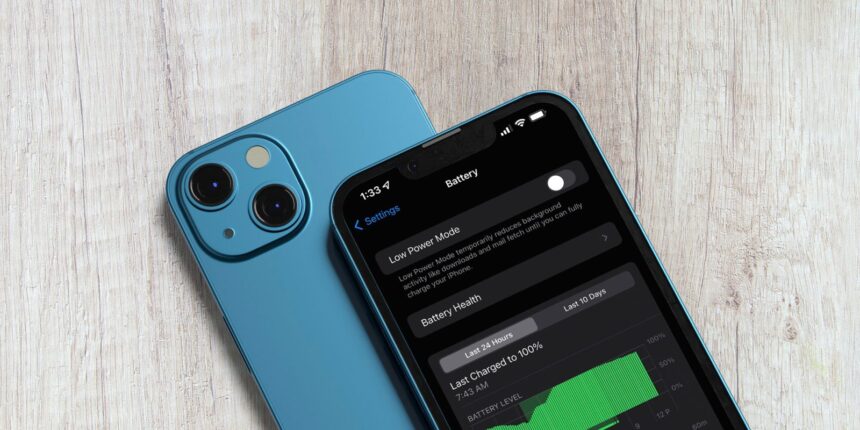
- Low Power Mode: While Low Power Mode can help extend your iPhone’s battery life, it can also disable some features, such as background app refresh and visual effects, which can affect your user experience.
Simple Tips to Extend Your iPhone’s Battery Life
Now that we’ve explored the main causes of fast iPhone battery drain, let’s look at some simple tips to extend your iPhone’s battery life:
- Adjust your screen brightness: Lowering your screen brightness can significantly extend your iPhone’s battery life. You can adjust your screen brightness in Settings > Display & Brightness.
- Disable location services: If you don’t need location services for a particular app, disable them to conserve battery life. You can disable location services in Settings > Location Services.
- Turn off push notifications: If you receive a large number of notifications throughout the day, consider turning off push notifications for non-essential apps. You can turn off push notifications in Settings > Notifications.
- Disable background app refresh: If you don’t need an app to refresh in the background, disable this feature to conserve battery life. You can disable background app refresh in Settings > General > Background App Refresh.
- Use Low Power Mode: If you’re running low on battery, enable Low Power Mode to extend your iPhone’s battery life. You can enable Low Power Mode in Settings > Battery.
Advanced Tips for Power Users
If you’re looking for more advanced tips to extend your iPhone’s battery life, here are a few suggestions:
- Use a battery-saving app: There are several battery-saving apps available that can help you identify which apps are draining your iPhone battery and provide personalized recommendations to extend your iPhone’s battery life.
- Disable Bluetooth and Wi-Fi: If you’re not using Bluetooth or Wi-Fi, disable them to conserve battery life. You can disable Bluetooth and Wi-Fi in Settings > Bluetooth and Settings > Wi-Fi, respectively.
- Turn off animated wallpapers: Animated wallpapers can be visually appealing, but they can also drain your iPhone battery. Consider turning off animated wallpapers to conserve battery life.
Alternatives to Built-in Battery-Saving Features
If you’re looking for alternatives to built-in battery-saving features, such as Low Power Mode, here are a few options:
- Third-party battery-saving apps: There are several third-party battery-saving apps available that can provide more advanced features and customization options than built-in battery-saving features.
- Power banks: If you’re always on the go, consider investing in a power bank to keep your iPhone charged throughout the day.
The Bottom Line
In conclusion, a fast-draining iPhone battery can be frustrating, but it’s often easy to fix. By understanding the main causes of fast iPhone battery drain and taking steps to prevent it, you can extend your iPhone’s battery life and enjoy a seamless user experience. Whether you’re using your iPhone for work or play, our expert guide has provided you with the tips and tricks you need to keep your iPhone battery healthy and long-lasting. So, try out these simple tips and tricks, and see the difference for yourself.