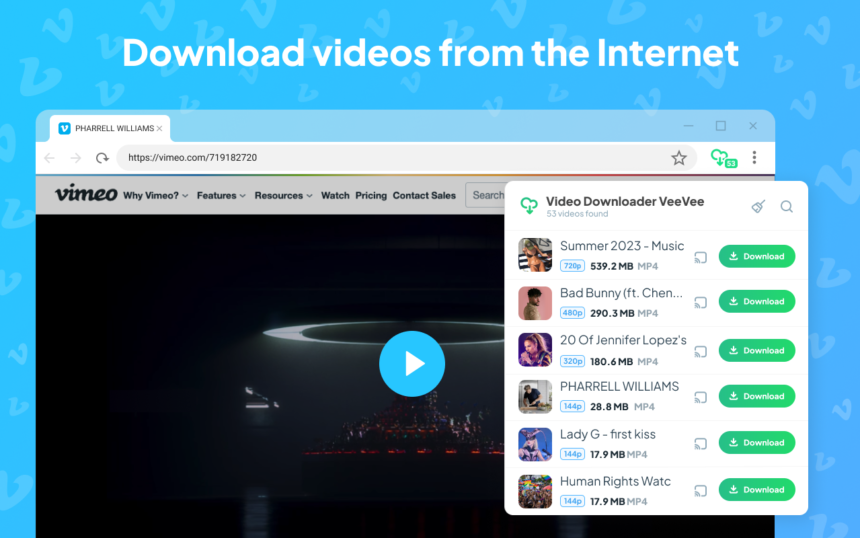
Key Points on VeeVee Video Downloader
- Research suggests VeeVee is a free browser extension for downloading videos and audio from numerous websites, supporting formats like MP4 and MP3 in resolutions up to 4K, though it may not work on DRM-protected platforms like Netflix.
- It seems likely that VeeVee excels in handling HLS streams by detecting M3U8 files, loading TS segments, and combining them into MP4, making it useful for streaming sites, but evidence leans toward limitations on YouTube downloads in Chrome due to store policies.
- The extension appears safe based on user reviews and store stats, with no major malware reports, but it requires permissions to access site data, which some users find concerning.
- Unique features like QR code generation for mobile downloads and Chromecast support add convenience, but compatibility varies by browser and site.
Product website – https://veevee.app/
Overview
VeeVee Video Downloader is a browser extension designed to simplify saving videos and audio from the web. It’s compatible with Chrome, Opera, Firefox, Edge, and Yandex Browser, and boasts over 100,000 users with an average rating of 4.0-4.3 out of 5. Free to use without registration, it focuses on public, non-DRM content and emphasizes legal compliance. For YouTube, installation on alternative browsers like Opera or Firefox is recommended to bypass Chrome restrictions.
Main Features
VeeVee supports resolutions from SD to 4K and formats like MP4 for video and MP3/M4A for audio. It handles HTML5 videos and HLS streams efficiently, offers batch downloads, built-in previews, and QR codes for direct mobile saving. Additional perks include dark/light themes, file search by quality or size, and Chromecast compatibility. It works on sites like Vimeo, TikTok, Twitter/X, Facebook, and Instagram, but not premium services.
Installation and Usage
Install from the respective browser stores: Chrome Web Store, Opera Add-ons, Firefox Add-ons, or Edge Addons. Once added, visit a video page, click the extension icon, select quality/format, and download. For batches, add multiple items before downloading. Files save to your default Downloads folder.
Pros and Cons
Pros include ease of use, free access, and versatile features like QR codes, with positive reviews praising its speed and reliability. Cons involve YouTube limitations in Chrome, occasional detection issues on certain sites, and required permissions that may raise privacy concerns. Overall, it’s a solid choice for casual users, but advanced needs might require alternatives.
VeeVee Video Downloader is a versatile browser extension that enables users to save videos and audio from a wide array of websites, emphasizing simplicity and accessibility. Launched with updates as recent as November 2025 (version 3.0.1), it has garnered over 100,000 installations across platforms and maintains ratings around 4.0-4.3 out of 5. This detailed exploration covers its features, installation, usage, supported parameters, safety considerations, and more, drawing from official sources and user feedback in 2026.
What Is VeeVee Video Downloader?
VeeVee is a free, no-registration-required extension compatible with Chromium-based browsers (Chrome, Edge, Opera, Yandex) and Firefox. It detects and downloads HTML5 videos and HLS streams from non-DRM sites, converting them to MP4 or extracting audio as MP3/M4A. Developed to address common download challenges, it prioritizes legal, public content and explicitly avoids bypassing protections like DRM or paywalls. Users are responsible for copyright compliance.

This screenshot illustrates the extension’s interface in action on Firefox.
Core Features and Parameters
VeeVee supports resolutions from SD to 4K (source-dependent) and formats including MP4 for video and MP3, M4A, WMA, or WAV for audio. It excels in HLS/M3U8 handling by detecting playlists, loading TS segments, and merging them into a single MP4 file. Other highlights include batch downloads, built-in previews, QR code generation for mobile transfers, Chromecast support, and theme options (light/dark). Search filters allow sorting by title, quality, type, or size.
| Parameter | Description | Support/Details |
|---|---|---|
| Resolutions | SD, HD (720p), Full HD (1080p), 2K, 4K | Dependent on source availability. |
| Video Formats | MP4 (primary), WEBM, FLV | Auto-detected from site. |
| Audio Formats | MP3, M4A, WMA, WAV | Includes ID3 tags and covers for audio files. |
| Streaming Support | HLS/M3U8 | Detects playlists, loads segments, combines into MP4. |
| Batch Download | Yes | Select multiple files for simultaneous processing. |
| Preview | Built-in player | Check content before saving. |
| QR Code | Yes | Scan to download directly to phone. |
| Chromecast/Google Home | Yes | Stream MP4 files. |
| Themes | Light/Dark | User preference. |
| Search Filters | Title, quality, type, size | For managing detected files. |
Installation Guide
- Visit the store for your browser.
- Click “Add to Browser” and confirm.
- For YouTube in Chrome, use manual installation or switch browsers.

Step-by-Step Usage
- Open a webpage with video content (e.g., Vimeo, TikTok).
- Click the VeeVee icon in the toolbar—it auto-detects media.
- Select quality/format; use preview if needed.
- Click “Download” or add to batch.
- For QR: Generate and scan with mobile.
- Files save to Downloads; change via browser settings.Troubleshooting: Refresh page, play video first, or contact support at videodownloaderext@gmail.com.
Supported Sites and Limitations
Works on 99.99% of sites including Vimeo, Dailymotion, TikTok, Twitter/X, Facebook, Instagram, and Flickr. Limitations: No DRM bypass (e.g., Netflix), potential issues with encrypted streams, and YouTube restrictions in Chrome. For YouTube, use alternative browsers or manual setup.
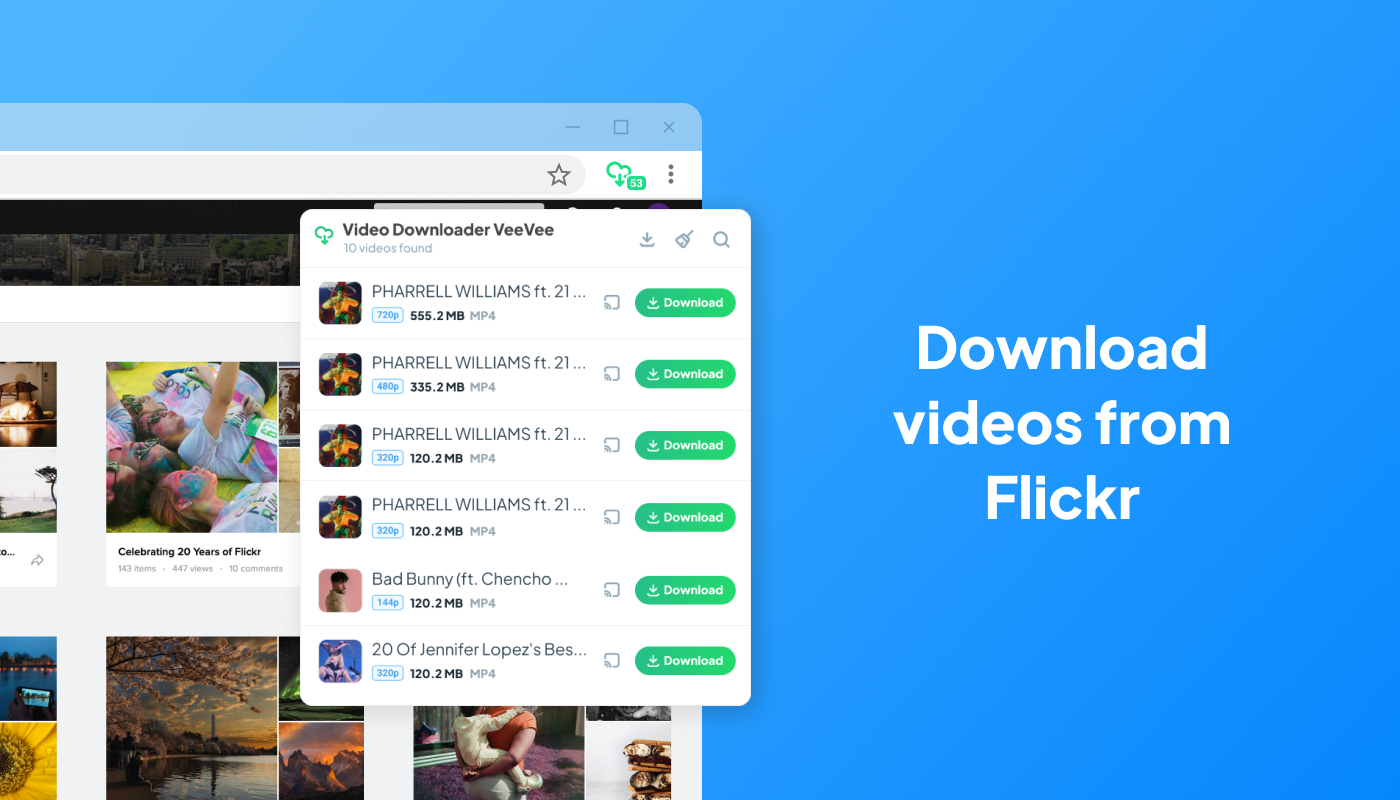
Example of downloading from Flickr.
Safety and Privacy
VeeVee collects minimal non-personal data (e.g., video URLs for processing) and is deemed trusted by Chrome Stats. No storage of files on servers; direct links ensure security. User reviews highlight its safety, with no recent malware complaints, though permissions for site data access are required.
Pros, Cons, and User Feedback
Pros: Fast, user-friendly, versatile features, free, and effective for streaming sites. Cons: Browser-specific limits, occasional detection failures, no premium content support. Feedback: “Best extension ever, so easy to use,” and “Awesome for QR downloads,” with some noting fixes in updates for TikTok/Facebook.
Alternatives and Recommendations
For YouTube-focused users, consider yt-dlp or other tools; VeeVee suits general web downloads. Recommended for casual savers of social media clips.
In summary, VeeVee offers a reliable, feature-rich option for video downloading in 2026, balancing ease with functionality.