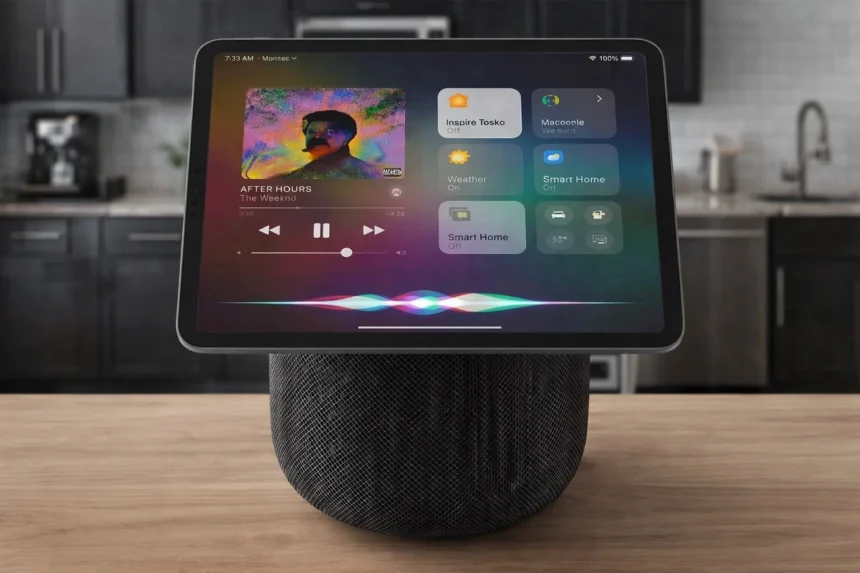
Turning your HomePod into a smart home hub is one of the most effective ways to unlock the full potential of Apple’s Home ecosystem. Instead of using it only as a speaker, you can transform it into the central command center that securely connects, automates, and controls all your compatible smart devices.
What Is an Apple Home Hub?
An Apple Home Hub is a device that stays powered on in your home and acts as the brain of your smart ecosystem. It maintains secure communication between your iPhone, iPad, and all your HomeKit or Matter accessories, even when you are away. With a Home Hub in place, you gain three critical capabilities:
- Remote control of your devices from anywhere.
- Shared access for family members and trusted guests.
- Advanced automations that run in the background without your phone.
As of 2025, Apple supports three types of Home Hubs: HomePod, HomePod mini, and Apple TV. iPads are no longer supported as home hubs in the latest version of the Apple Home platform, so HomePod or Apple TV are now the preferred choices.
Why Use a HomePod as a Smart Hub?
HomePod and HomePod mini are designed as dedicated smart speakers, but they also work as always‑on controllers for your home. Using a HomePod as your hub offers several advantages:
- Always plugged in and connected to Wi‑Fi, so automations and remote access are reliable.
- Deep integration with Siri, allowing you to control devices and scenes entirely by voice.
- Built‑in support for HomeKit and Matter accessories, making it easier to mix devices from different brands.
- A discreet, compact form factor that fits naturally in any room.
Once configured as a hub, your HomePod does more than play music. It becomes the central node that keeps your smart lights, plugs, sensors, locks, and thermostats working together.
Requirements Before You Start
To transform your HomePod into a smart hub, you should have:
- A HomePod or HomePod mini plugged into power and connected to your home Wi‑Fi.
- An iPhone or iPad running a recent version of iOS or iPadOS with the Apple Home app installed.
- An Apple ID with iCloud enabled.
- HomeKit or Matter accessories you plan to control, such as smart bulbs, plugs, sensors, locks, or cameras.
It is important that the same Apple ID is used for iCloud and for the Home app setup. This ensures secure communication between your HomePod, your accessories, and your personal devices.
Enabling HomePod as a Home Hub
Once your HomePod is set up as a speaker, turning it into a smart hub is mostly automatic. The key steps happen in the Home app:
- Open the Home app on your iPhone.
- Make sure your HomePod appears as an accessory in one of your rooms.
- Sign in to iCloud on your iPhone with the same Apple ID you used during HomePod setup.
- In the Home app, go to Home Settings and verify that “Home Hubs & Bridges” lists your HomePod as “Connected” or “Standby”.
If you do not see the HomePod listed as a hub, you may need to enable two‑factor authentication on your Apple ID and ensure iCloud Keychain is turned on. These security features are required so that the hub can securely manage HomeKit and Matter devices.
Connecting HomeKit and Matter Accessories
With your HomePod acting as a hub, you can start adding compatible devices to your home:
- Use the “+” button in the Home app to add a new accessory.
- Scan the HomeKit code or Matter pairing code on the device or its packaging.
- Assign the accessory to a room and give it a clear name, such as “Hallway Light” or “Living Room Plug”.
Because the HomePod is now your central controller, these devices will be reachable even when your iPhone is not on the same Wi‑Fi network, as long as your hub remains online.
Creating Automations and Scenes
The real power of transforming your HomePod into a hub appears when you start using automations and scenes:
- Create scenes like “Good Night” to turn off lights, lock doors, and lower the thermostat with a single command.
- Set time‑based automations so lights turn on at sunset or specific routines run in the morning.
- Use sensor‑based automations, such as turning on hallway lights when motion is detected at night.
All of these run on the hub itself. Your HomePod evaluates conditions and triggers actions even if no one is at home, making your smart home more autonomous and energy‑efficient.
Sharing Your Smart Home with Family
A Home Hub also allows you to share control with other people:
- In the Home app, invite family members using their Apple IDs.
- Choose whether they can control accessories, run scenes, or manage automations.
- Once they accept the invitation, they can use their own iPhones or Apple Watches to control the home through your HomePod hub.
This makes it easy for everyone in the household to access the same devices and scenes without sharing a single Apple account.
Maintaining Security and Reliability
Because your HomePod is the central hub, its configuration affects the entire home. To keep your system stable:
- Keep your HomePod and iOS devices updated to the latest software.
- Ensure your Wi‑Fi network is reliable, with strong coverage where the HomePod sits.
- Avoid frequently changing Apple IDs or signing out of iCloud on the devices that manage your home.
These practices help maintain secure communication between the hub and all connected accessories, especially when you use a mix of HomeKit and Matter devices.
The Foundation of a Modern Smart Home
Transforming your HomePod into a smart hub turns a single speaker into the foundation of a modern, intelligent home. With one compact device, you gain remote access, automation, shared control, and a unified interface for all your compatible accessories. If you already own a HomePod or HomePod mini, enabling it as your Apple Home Hub is one of the most impactful upgrades you can make to your smart home setup.