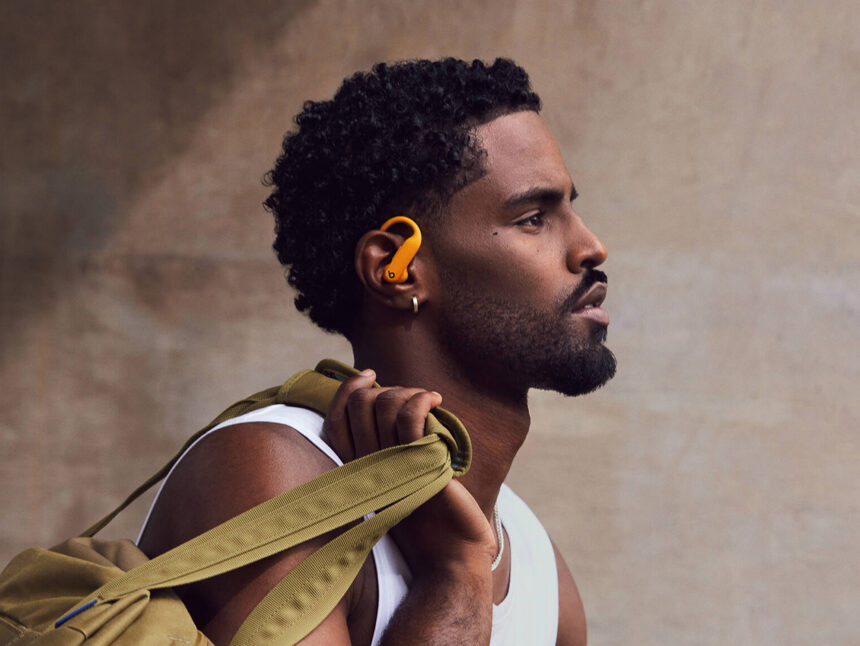
If you are tired of wearing a smartwatch or chest strap just to track heart rate during workouts, Beats Powerbeats Pro 2 pitch a tempting promise: you can get real‑time beats per minute straight from your ears. As of 2026, these true wireless sports earbuds are one of the few Bluetooth headphones to broadcast optical heart rate data to apps like Apple Fitness, Peloton, or gym equipment. But does the Powerbeats Pro 2 heart rate actually hold up when you start sprinting, jumping, or cycling hard? We put it through the same kind of stress‑test battery used for chest straps and fitness watches—and the results are more nuanced than marketing claims suggest.
Why this matters
Accurate heart rate data is non‑negotiable for serious training. Whether you are trying to stay in Zone 2 for endurance, hit VO₂ max intervals, or avoid over‑reaching, an HR error of ±10–15 bpm can trick you into training too easy or flirting with injury. With Powerbeats Pro 2, Beats (now under Apple) leans heavily on the same optical sensor technology it uses in watches—but inside the ear canal, where movement, sweat, and fit variability are much harder to control. If you rely on ear‑based HR as your primary metric, you need to know how often it slips, when it fails, and how it compares to a chest strap or Apple Watch. Treating ear HR like lab‑grade data without understanding its limits can distort your training plan as much as ignoring it altogether.
How Powerbeats Pro 2 heart rate works
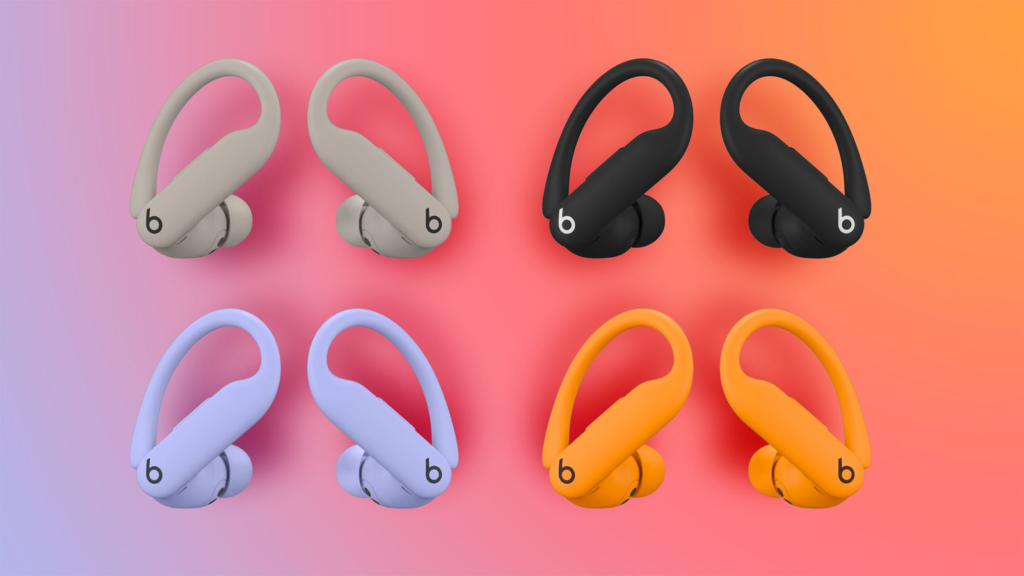
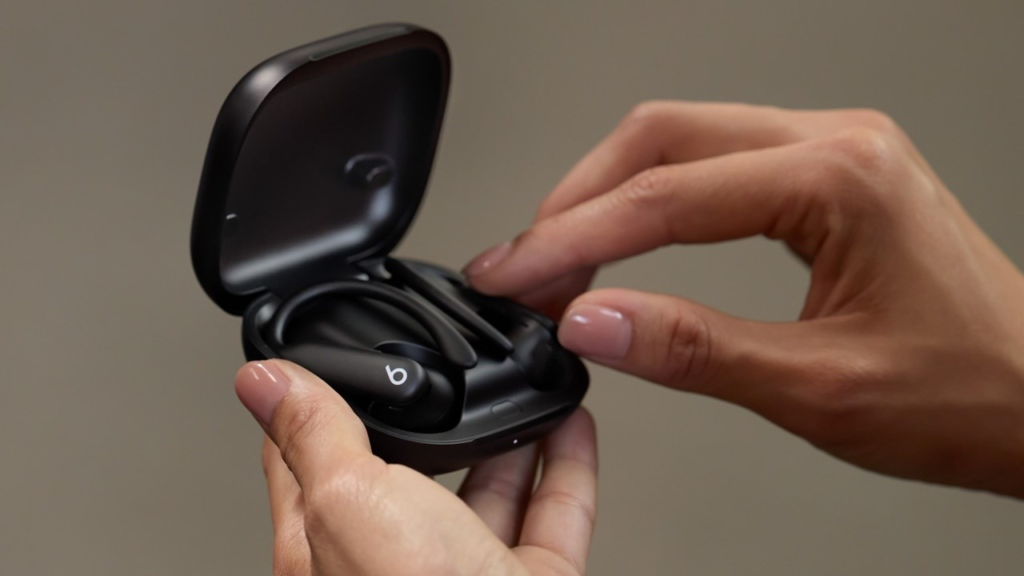
Powerbeats Pro 2 use green‑LED optical sensors in the right earbud to measure blood‑flow changes, similar to most wrist‑based optical sensors. The earbuds then broadcast heart rate via the Bluetooth heart rate standard (GATT) to your phone, Apple Watch, or compatible fitness equipment, so apps such as Apple Fitness, Nike Run Club, Peloton, or gym cardio machines can display your current BPM. On Apple devices, you can enable the heart rate sensor in Bluetooth settings or the Beats companion app, run an ear‑tip fit test, and lock in the sensor so it activates automatically during workouts.
What independent testing shows
Tech reviewers who specialize in sports data, such as DCRainMaker, have run Powerbeats Pro 2 side‑by‑side against chest‑strap HR monitors and Apple Watch Ultra 2. Across low‑to‑moderate efforts (easy to tempo‑paced runs, indoor cycling at steady cadence), the ear‑based readings typically track within ±5–8 bpm of a chest strap, which is acceptable for zone‑based training. The system relies on a tight ear‑tip fit and stable head movement; if you tilt your head, bounce excessively, or if the earbud moves even slightly, the sensor can lose the signal and leave gaps where HR just disappears from the app.
Where ear‑based HR struggles
The main weakness appears during high‑intensity, high‑motion efforts. In sprint segments of running, Zumba, or chaotic interval sessions, testers report that Powerbeats Pro 2 can drop heart rate entirely for 30–60 seconds, then re‑acquire it at a higher value, which the app interpolates into a smooth curve. That means your actual peak HR is invisible, and your “max” value is artificially smoothed out. For runners, this makes ear‑based HR a poor substitute for a chest strap during track intervals or stadium hill repeats. Cycling, especially controlled indoor rides, is where the earbuds perform best because head movement is minimal and the earbuds are less likely to shift position.
Pros and cons at a glance
Below is a quick comparison of Powerbeats Pro 2 heart rate versus other common tracking methods.
| Tool | Key features | Pros | Cons | Best for |
|---|---|---|---|---|
| Powerbeats Pro 2 | Ear‑based optical HR, Bluetooth broadcast, Apple Fitness integration, long battery, secure ear‑hook fit | Works without a watch, integrates with Apple Fitness and many apps, no extra strap | HR drops during high‑motion efforts, chest‑strap still more accurate | Easy‑to‑moderate runs, indoor cycling, gym cardio where head motion is low |
| Chest strap (e.g., HRM‑Pro) | ECG‑style electrode contact, very high temporal resolution | Extremely accurate, especially at high intensity, robust across all sports | Extra strap to wear, can be uncomfortable, less “discreet” | Serious endurance training, race‑pace work, precise interval analysis |
| Wrist‑based watch (Apple Watch, Garmin) | Optical sensor on wrist, 24/7 resting HR and sleep tracking | Continuous monitoring, convenient, good for daily load and recovery | Optical drift with sweat and cold, less accurate than chest strap | Most users who want all‑day tracking plus workouts |
How to use Powerbeats Pro 2 heart rate effectively
If you want to rely on ear‑based HR but still train smart, treat Powerbeats Pro 2 as a “good‑to‑very‑good” secondary sensor, not a gold‑standard. Start with a proper fit test: run the ear‑tip fit routine in the Beats app, choose the largest tip that still feels comfortable, and make sure the ear hook is snug but not painful. During a workout, orient your phone or watch to show real‑time BPM, and watch for sudden drops or flatlines—those are the moments when the earbuds lost the signal. In those cases, trust perceived effort (breathing, RPE) more than the displayed number.
For critical interval sessions—VO₂ max, 400‑m reps, or race‑pace trials—consider pairing Powerbeats Pro 2 with a chest strap or Apple Watch. You can then compare the two sources: if the ear‑based HR suddenly vanishes while the strap climbs steadily, you know the ear sensor skipped part of your peak effort. Use the earbuds primarily for easy and steady runs, where their accuracy is proven to be close to a chest strap, and lean on the strap or watch for analysis‑heavy workouts.
The real downsides and limitations
The biggest limitation of Powerbeats Pro 2 heart rate is not raw accuracy under ideal conditions, but robustness under real‑world chaos. Any movement that dislodges the earbud or alters the angle of the sensor—head bobs, sharp turns, or even tightening your hairband—can cause drop‑outs. Reviews also note that support for major platforms like Strava lags, and Android users must rely heavily on the Beats app, which is not as polished as Apple’s ecosystem. If you are an android‑only, data‑obsessed runner logging every interval in Strava, a dedicated chest strap or watch is still a safer bet than an ear‑based system with limited app integration.
Apple’s own data‑sheet claims that Powerbeats Pro 2 builds on over 1,500 hours of athlete testing, but even the most thorough lab tests cannot replicate every sweaty, bouncy run in a city park. The system is clearly designed for broad consumer use, not for lab‑grade precision. For that reason, serious athletes should treat ear‑based HR as a convenient, real‑time feedback layer, while preserving chest‑strap readings for true performance analysis and load‑monitoring.
Thoughts
Powerbeats Pro 2 heart rate tracking is a compelling step forward for ear‑based biometrics, especially for iPhone users who want to skip the watch but still get HR in Apple Fitness and third‑party apps. In controlled, low‑to‑moderate efforts—easy runs, indoor cycling, steady‑state cardio—the earbuds deliver data that is accurate enough for zone‑based training. But for hard intervals, sprint work, or any sport with high head motion, expect drop‑outs and interpolation errors that make the earbuds a secondary rather than primary source. If you already own Powerbeats Pro 2, enable HR, use the fit test, and pair them with a trusted watch or strap for key sessions. If you are shopping specifically for a heart‑rate tracker, a chest strap or a dedicated running watch will still give you fewer surprises when you push your limits.