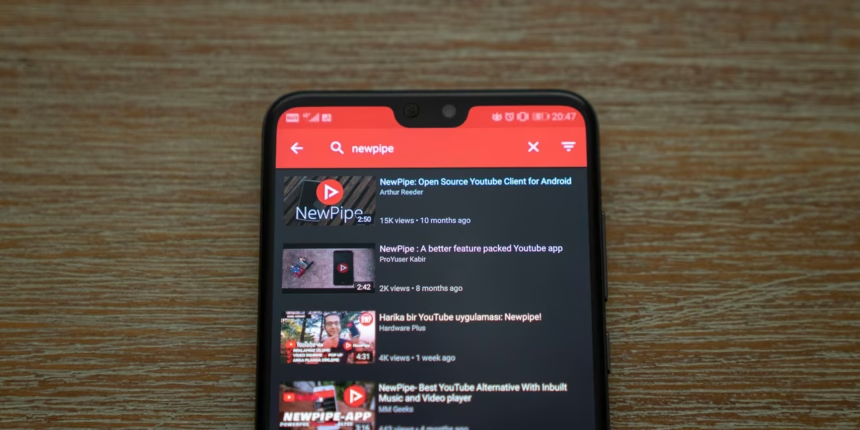
In a world where YouTube has turned into a giant ad and tracking machine, more and more viewers are looking for a clean, distraction-free way to watch videos. On Android, one of the most popular solutions is NewPipe — a lightweight, open-source, privacy‑focused alternative to the official YouTube app.
In this article, we’ll look at what NewPipe is, what it can do, how it differs from YouTube, and why many users say it feels like “YouTube the way it should have been”.
What Is NewPipe?
NewPipe is a third‑party YouTube client for Android (and other video platforms) that lets you:
- Watch videos without ads
- Play videos in the background or in picture‑in‑picture mode
- Download videos and audio to your device
- Use YouTube without a Google account and without tracking
Important: NewPipe is not a modified version of the official YouTube app and not a pirated clone. It’s a separate open‑source application that works via public web interfaces and does not rely on Google Play Services.
Key Features of NewPipe
1. Completely Ad-Free Viewing
The first thing you notice after installing NewPipe is the complete absence of ads. There are no pre‑rolls before videos, no mid‑roll ad breaks, and no banner ads squeezed under the player. Your feed looks clean, and watching videos stops feeling like a series of interruptions.
For many people, this alone is enough to never return to the official app.
2. Privacy and Minimal Tracking
NewPipe was built from the ground up with privacy in mind. The app:
- Does not require you to sign in with a Google account
- Does not use Google Play Services
- Does not send your viewing data to developer‑controlled servers
- Stores your history, subscriptions, and playlists locally on your device
Essentially, you get access to YouTube as a video hosting platform — not as a data‑collection service.
3. Background Playback and Picture‑in‑Picture
Official YouTube locks background playback and picture‑in‑picture (PiP) behind a paid YouTube Premium subscription. In NewPipe, these features are available by default:
- You can listen to videos like podcasts with the screen off
- You can shrink the video into a floating window while using other apps
- You can control playback from the Android notification shade or lock screen
This is perfect for music mixes, long interviews, lectures, and live streams.
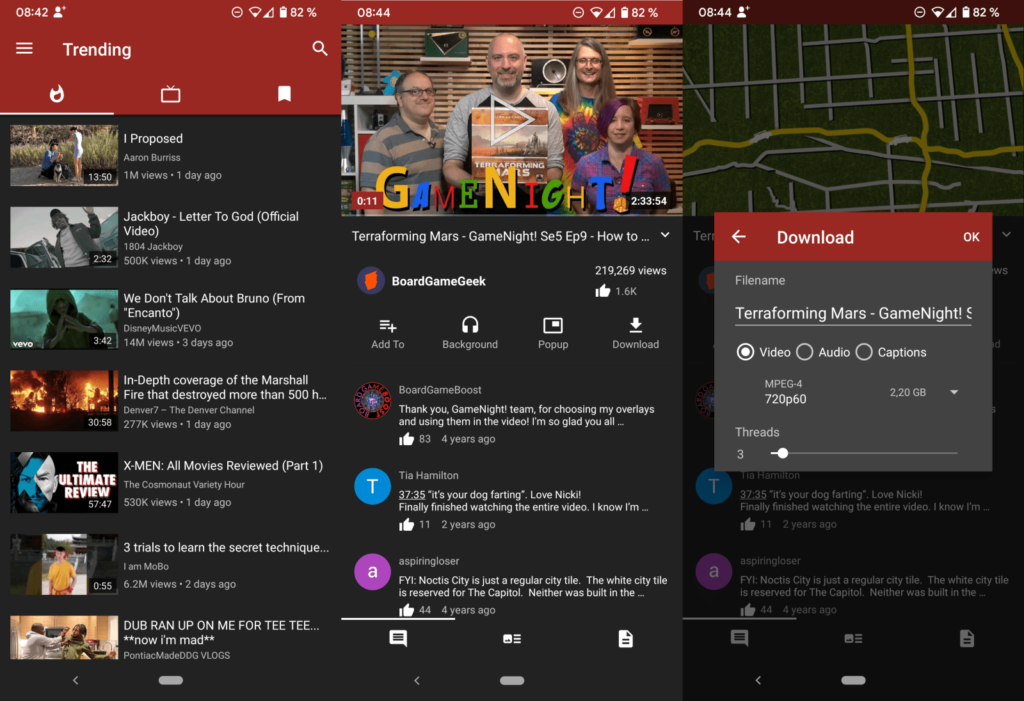
4. Built-In Video and Audio Downloads
One of NewPipe’s most popular features is its built‑in downloader:
- Choose video quality (from low resolutions up to Full HD or 4K, if available)
- Download audio only (ideal for music, podcasts, or lectures)
- Pick formats (e.g., WebM, MP4, WebM Audio; MP3 if you use an external converter)
- Download in the background while you do other things
You can save files to internal storage or a microSD card and watch or listen offline whenever you want.
5. Lightweight App With a Clean Interface
NewPipe feels significantly lighter than the official YouTube app:
- No Shorts, Stories, or other attention‑grabbing extras by default
- A simple interface focused on search, subscriptions, and local playlists
- Lower data usage and reduced battery drain, especially without ads and Google services in the background
On budget or older devices, this difference is very noticeable.
Where to Download NewPipe Safely
NewPipe is not available on the Google Play Store — and that’s expected. The app is distributed through:
- The official project website: https://newpipe.net
- The F‑Droid repository (for users who prefer open‑source app stores)
You should only download the APK from the official site or from F‑Droid. This reduces the risk of fake builds, malware, or modified versions that compromise privacy.
How to Install NewPipe on Android
Because NewPipe is not on Google Play, you install it via an APK file. The basic process looks like this:
- Go to the official NewPipe website at https://newpipe.net.
- Open the download section and grab the latest version of the APK.
- On your phone, enable the option to install apps from unknown sources for your browser or file manager.
- Open the downloaded APK file and confirm the installation.
If you see an “App not installed” error, common fixes include:
- Uninstalling any older version of NewPipe first
- Making sure the APK downloaded completely and is not corrupted
- Checking that you have enough free storage on your device
Supported Devices and Android Versions
NewPipe works on most modern Android smartphones, including models from Samsung, Xiaomi, Redmi, Realme, OnePlus, Vivo, Oppo, and many others. Because it is lighter than the official YouTube app, it often runs more smoothly on low‑end and older devices.
Limitations and Legal Considerations
There are a few important caveats:
- NewPipe is not an official Google or YouTube product.
- Downloading videos may violate YouTube’s Terms of Service; you are responsible for how you use the download feature.
- Some YouTube features (posting comments, uploading videos, community posts, etc.) may be limited or unavailable in NewPipe.
If you’re a YouTube creator, it’s better to treat NewPipe as an extra viewer app, not a replacement for YouTube Studio or the official creator tools.
Who NewPipe Is For
NewPipe is especially attractive if you:
- Are tired of aggressive ads on YouTube
- Don’t want to pay for YouTube Premium just to get background playback
- Care about privacy and want to reduce your dependence on Google services
- Frequently listen to YouTube in the background like a music or podcast app
- Want an easy way to save videos or audio for offline use
For these users, NewPipe turns YouTube back into a simple, user‑first video experience instead of an ad platform.
Conclusion
NewPipe is one of the best community‑driven answers to the ad‑heavy, subscription‑pushed YouTube app. It gives you the essentials — ad‑free viewing, background playback, picture‑in‑picture, downloads, and basic privacy protections — in a lightweight, open‑source package.
If you watch a lot of YouTube on Android and feel like the official app serves the platform more than it serves you, NewPipe is definitely worth trying. Just be sure to download it only from official sources and stay aware of the legal limitations around downloading content.