



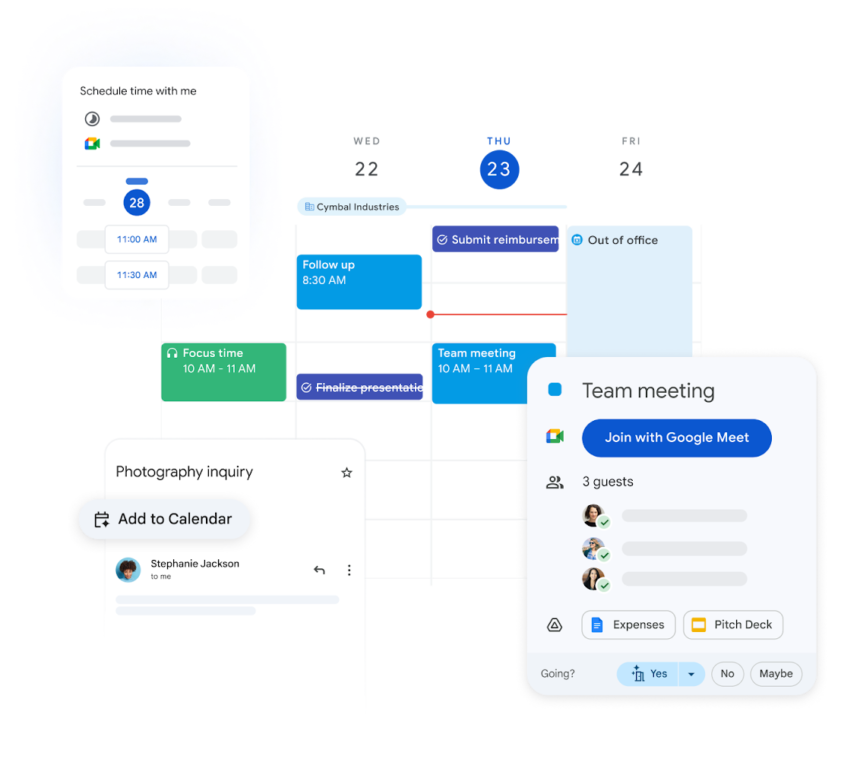
If you’ve ever joined a Zoom call three minutes late, stared at your calendar wondering “when did that meeting start,” or received a passive‑aggressive Slack message after missing a sync, you are not alone. The default calendar app on most phones and laptops is designed for basic time‑keeping, not for forcibly keeping you on schedule. A proper meeting tracker, however, ties together your calendar, your behavior, and a few smart tools so you never miss a calendar appointment again — no matter how heavy your workload, how many time zones you juggle, or how many “back‑to‑back” invites you accept by reflex. As of 2026, the most effective setups combine a single source‑of‑truth calendar, a layered notification strategy, and a small set of rules that make high‑stakes meetings impossible to ignore while protecting your deep‑work blocks.
Why this matters
Missing a meeting is not just awkward; it has real organizational and psychological costs. Late joins waste everyone’s time, erode trust with clients and managers, and signal to your team that you don’t respect their schedules. In client‑facing roles, a single missed call can cost thousands of dollars in lost opportunity. In internal teams, chronic lateness often leads to being passed over for promotions or important projects because peers and leaders assume you cannot be relied upon.
Research on productivity tools shows that real‑time notifications and automatic reminders are consistently rated among the most valuable features in calendar and scheduling software. Users who rely on structured alert systems report fewer scheduling conflicts, fewer no‑shows, and a stronger sense of control over their day. A meeting tracker does more than ring a bell; it inserts a deliberate pause between your current task and the next meeting, giving you time to close tabs, mute notifications, and show up mentally prepared. For remote workers, ADHD‑affected users, and anyone juggling overlapping calendars, this kind of system is not a luxury—it is a necessity for staying visible, credible, and productive.
How a meeting tracker actually works
At its core, a meeting tracker is not a single app but a system made of four components:
- A single source‑of‑truth calendar
All your professional and personal appointments live in one calendar: Google Calendar, Microsoft Outlook, or Apple Calendar. This becomes your non‑negotiable reference point. - A notification layer
Desktop and mobile alerts tell you when a meeting is about to start, and some tools can even lock your screen or block notifications for a few minutes before the call. - A rule engine
Filters, tags, or keywords decide which meetings get aggressive alerts and which get gentle reminders. For example, “client” or “investor” in the title triggers a full‑screen alert, while “internal sync” fires a standard notification. - A daily review habit
You spend 3–5 minutes each morning scanning the day’s schedule, adjusting what’s necessary, and mentally slotting each meeting into your workflow.
When these four pieces work together, your calendar evolves from a passive log into an active meeting tracker. Instead of hoping you notice a small banner on your screen, the system actively pulls you out of deep work with the right intensity for each type of meeting. The goal is to design a tracker that feels just disruptive enough to keep you on time, without flooding you with alerts that make you tune everything out.
Key meeting‑tracker tools to consider
Most people already use a mainstream calendar, but the real power comes from layering specialized tools on top.
- Google Calendar, Outlook, and Apple Calendar
These are the backbone of almost any system. They offer multiple reminders per event, cross‑device sync, and integrations with Gmail, Teams, Slack, and Zoom. The key is to standardize your defaults: for example, 24 hours before, 1 hour before, and 15 minutes before for professional meetings; 1 hour and 15 minutes for personal ones. - Scheduling tools (Calendly, Weezly, Reschedule, Re:Schedule)
Calendly and similar tools turn your calendar into a booking engine. Clients and partners choose slots from your availability, and the system automatically reserves time, sends reminders, and offers rescheduling options. This reduces back‑and‑forth emails and lowers the chance that someone forgets their own invite.
Weezly adds smart reminders and automated follow‑ups, while Re:Schedule and Reschedule help you coordinate across time zones, handle recurring meetings, and invite large groups with minimal friction. These tools keep your underlying calendar clean and tightly controlled. - Aggressive alert apps (Focusmo, In Your Face)
Some users genuinely “lose track of time” when they’re in flow. For these people, tools like Focusmo and In Your Face are game‑changers. Focusmo is designed explicitly to keep you on time for every meeting, blocking your screen and repeatedly prompting you to join, even if you’re in another app. It integrates with your existing calendar and allows flexible rules (e.g., only block if the meeting has more than three participants). In Your Face is a macOS‑specific app that shows a large, non‑dismissible popup a few minutes before your next meeting, making it nearly impossible to ignore. You can also set it up to send desktop alerts and mobile notifications, so you’re covered whether you work on a laptop, a secondary monitor, or a phone. - Calendar‑management and analytics tools (Leap, Motion, Clockwise, Reclaim, Clockwise Analytics)
For power users, tools like Leap, Motion, Reclaim, and Clockwise Analytics help structure your day around your real‑world behavior. They group meetings, protect focus blocks, and nudge you to schedule tasks when you’re most likely to be productive. Some of these tools also offer “never‑miss‑meetings” features, using analytics to predict when you’re likely to be late and prompting you to adjust.
Each of these tools can be stacked on top of your main calendar. The idea is to let your primary calendar manage what happens and when, while the others manage how you’re reminded and how your day is structured around those events.
Designing your meeting‑tracker system
To never miss a calendar appointment again, you need to move from “hoping notifications work” to a defined, repeatable system. Here’s a step‑by‑step framework:
- Lock your calendar as a single source of truth
Choose one calendar and treat it as sacred. Every new appointment—client calls, internal syncs, personal commitments, family events—goes into it immediately, preferably before you hang up the phone or leave the booking page. If you use multiple calendars (work vs personal), consider color‑coding or using a calendar‑management tool that overlays them into a single view. - Standardize your reminders
In your calendar app, set up a global default that applies to most events:- 24 hours before (for context and prep)
- 1 hour before (for final checks)
- 15 minutes before (for joining the meeting)
For high‑stakes meetings (investor pitches, client onboarding, board calls), add a 5‑minute before reminder or a “pre‑meeting prep” event you can schedule once and then copy‑paste.
- Layer in an aggressive alert app
Install a tool like Focusmo or In Your Face and connect it to your calendar. Configure it with rules:- Always block the screen 3 minutes before any meeting that includes “client,” “investor,” or “1‑on‑1” in the title.
- Only show non‑dismissible alerts for external meetings; let internal syncs use standard notifications.
This way, the most important events get the strongest nudge, and your day remains manageable.
- Tag or color‑code meeting types
Instead of relying only on titles, give each meeting a category:- Client (red)
- Internal (blue)
- Personal (green)
- Family (yellow)
Many calendar apps let you filter by color, and external tools can use these labels to determine how aggressively to alert you. Over time, you can also use these tags to analyze how much time you’re spending in each type of meeting and adjust your schedule accordingly.
- Set up multi‑channel notifications
Don’t rely solely on your laptop. Enable mobile push notifications, and if your calendar or tracker supports it, add SMS or email reminders for critical events. For example:- Desktop alerts via the calendar and an in‑your‑face app
- Mobile push notifications set to “Urgent” on your phone
- SMS alerts for “no‑excuse” meetings (e.g., medical appointments, legal calls)
This multi‑channel approach covers you whether you’re at your desk, out running errands, or in another room.
- Schedule a daily calendar review
Spend 3–5 minutes at the top of each day (or the end of the previous day) reviewing your calendar. Look for:- Back‑to‑back meetings with no buffer
- Overlaps or double‑bookings
- Meetings that would benefit from extra prep time
During this review, adjust reminders, add short “pre‑meeting” tasks, or move low‑priority meetings if needed. This habit not only keeps your tracker accurate but also reduces the surprise late‑night scheduling chaos.
- Implement buffer rules
One of the most effective calendar‑management patterns is to never end a meeting at 59:59. Instead, end them at 50 or 55 minutes and leave a 5–10‑minute gap. This buffer gives you time to:- Close tabs and notes
- Use the restroom
- Prepare for the next meeting
You can set this as a template in your calendar app so new invites automatically include a buffer.
- Use status‑based visibility rules
If you work remotely, make your meeting status clear to your team. Use tools that show when you’re in a meeting, screen‑sharing, or busy, and pair that with your tracker so you know exactly when you’re free again. Some tools even integrate with Slack or Teams to change your status automatically when a meeting starts.
The real downsides and limitations
Even the best meeting‑tracker system is not foolproof. The biggest limitation is behavioral, not technical: if you habitually ignore alerts, no app can force you to attend. Some in‑your‑face tools deliberately feel intrusive, which can lead users to disable them after a few days—only to re‑enable them when they miss a meeting, creating a cycle of frustration. There’s also a risk of “over‑reliance” on your tracker; if your device is off, your VPN is down, or the app glitches, you can still find yourself blindsided.
Another subtle downside is that aggressive alerts can erode deep‑work blocks if not tuned correctly. If your system pings you for every 5‑minute event, you’ll never get into flow. That’s why rule‑based filtering is so important: only the most meaningful meetings should trigger the loudest alerts. Finally, privacy‑conscious users may balk at tools that sync heavily with third‑party services or send SMS messages, so it’s worth reviewing permissions and data‑sharing policies before committing to a stack.
Research into scheduling and productivity shows that companies that adopt structured, calendar‑based reminder systems reduce scheduling conflicts and missed meetings by up to 25%. This suggests that the combination of good tools and good habits can make “never missing a meeting” a realistic, measurable outcome rather than a vague aspiration.
The bottom line
A meeting tracker is not magic; it’s a system that turns your calendar into an active guardrail for your time. The most effective setups pair a single, well‑organized calendar with layered alerts, intelligent rules, and a daily review habit so high‑stakes meetings are almost impossible to miss. For most people, a simple stack of one mainstream calendar app (Google, Outlook, or Apple), one aggressive alert tool (Focusmo or In Your Face), and a few disciplined rules around reminders, buffers, and tagging is enough to dramatically reduce late joins and no‑shows. If you’re tired of that panicked “I completely forgot” moment, start by cleaning up your calendar, standardizing your reminders, and adding one in‑your‑face alert app for your most important calls—then let the tracker do the rest.



