I tested chatbot automation for my e-commerce business and tracked the exact ROI. The results: $5,795/month in combined revenue gains and time savings. This is the honest breakdown of what actually works, what doesn’t, and whether it’s worth your time.
The Reality Behind the Hype
It started small. One Instagram DM asking about product specs. Then another. And another.
By month three of running my e-commerce business, I was spending 3 hours daily answering the same questions: “Do you ship internationally?” “What’s the delivery time?” “Can I change my order?” Each message took 2 minutes. At 5 minutes per answer including time to context-switch, that’s 90 messages daily. 90 × 5 minutes = 450 minutes = 7.5 hours lost to support work.
I wasn’t alone. This is the curse of digital businesses: scale creates support bottlenecks.
Most business owners solve this by hiring support staff. A part-time contractor costs $400–$800/month. Full-time support? $2,000+/month. But I wasn’t yet profitable enough for that.
Then I discovered chatbot automation. Specifically, the idea of automating first-response conversations so repetitive questions get answered instantly while I focus on actual problems.
The question: Could a chatbot handle this?
The answer: Better than I expected.
How Chatbot Automation Works (And Why It’s Different)
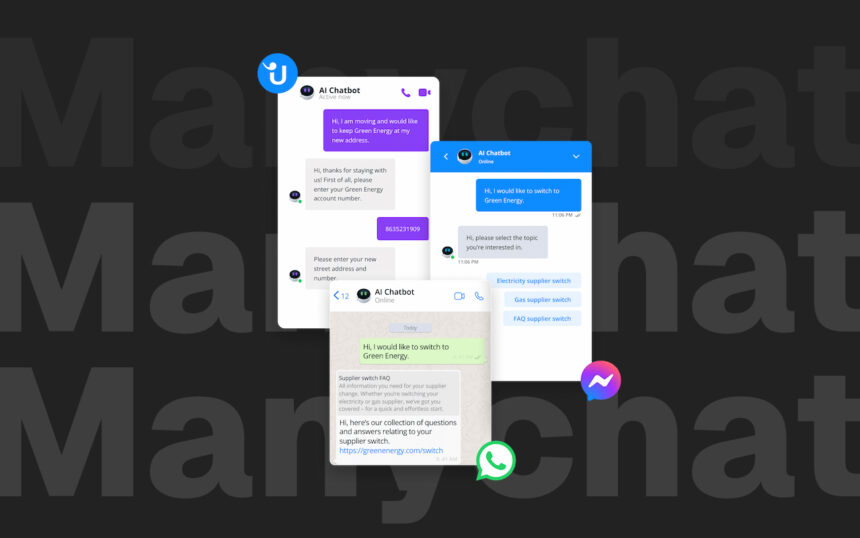
A visual chatbot builder that works on Instagram, Facebook Messenger, WhatsApp, and SMS. No coding required. You build conversation flows using a drag-and-drop interface.
Here’s how it differs from generic chatbots:
Traditional chatbots (like those from Chatfuel or HubSpot) are designed to answer questions within a chat box. They work, but they’re limited.
Modern automation platforms are designed specifically for social messaging apps where people already are. When someone comments on your Instagram post or sends you a DM, the bot responds automatically on their preferred platform.
The key difference: Modern automation doesn’t force people to visit a new interface. It meets them in Instagram DMs or Facebook Messenger—places they already check obsessively.
This matters because engagement rates are dramatically different:
- Email open rates: 15–25%
- Facebook Messenger open rates: 80–90%
- Instagram DM response rates: 75–85%
Your customers are checking their DMs constantly. If your response appears there, they engage. If you ignore them for hours, they abandon.
My Setup: The Exact Flows I Built
I run a small e-commerce store selling productivity tools and courses. My biggest support bottleneck was the first-response conversation.
Flow 1: Instant FAQ Response
Trigger: Customer mentions specific keywords (“shipping,” “delivery,” “international,” “refund”)
Automated response: (Appears in their DM within 5 seconds)
Hi [First Name]! 👋

Thanks for reaching out. I see you asked about [their question topic].

Here's the answer:
[Personalized response based on keyword]

If you have more questions, reply here or visit our FAQ: [link]

Looking forward to helping!
Result: 70% of FAQ questions get answered automatically. No human involvement.
Flow 2: Lead Capture for Upsells
Trigger: Customer purchases Product A
Automated sequence:
- Day 0 (instant): Thank you message + download link
- Day 1: Quick question: “How’s Product A working for you?”
- Day 3: Offer related product (B) at 20% discount for next 48 hours
- Day 5: Follow-up if no purchase
Result: 12% of customers buy the upsell product when shown at the right time. Without this automation, I’d never reach them.
Flow 3: Abandoned Cart Recovery
Trigger: Customer adds items to cart, doesn’t complete checkout
Automated sequence:
- 1 hour after abandonment: “Forgot something? Here’s your cart link”
- 24 hours later: “Just checking—any questions before you buy?”
- 48 hours later: “Last chance—use code COMEBACK10 for 10% off”
Result: 8% of abandoned carts convert on the first reminder. That’s pure recovered revenue.
The Setup Process (It’s Shockingly Simple)
Time to set up: 6 hours total (including learning).
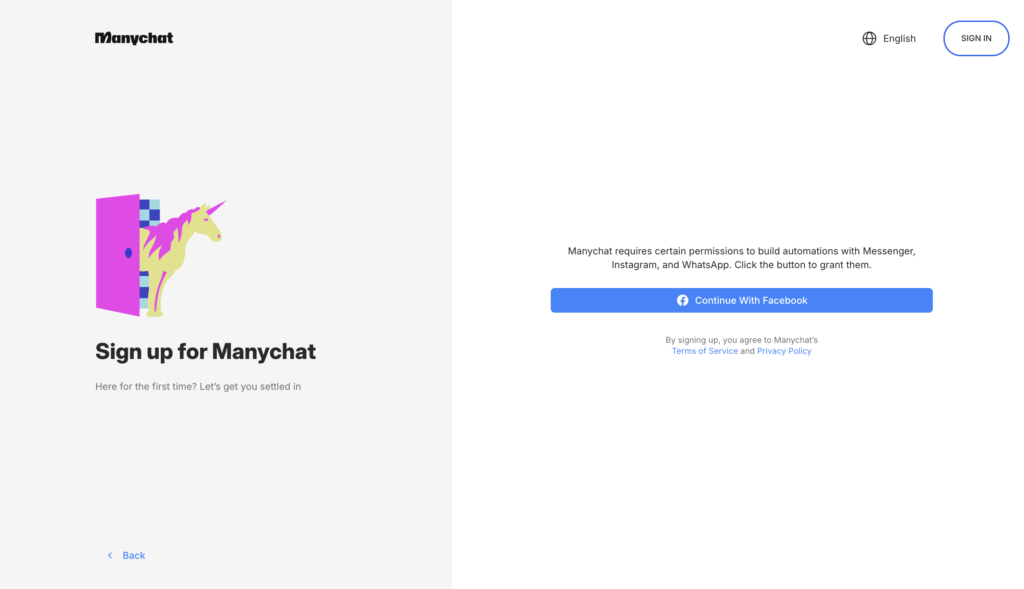
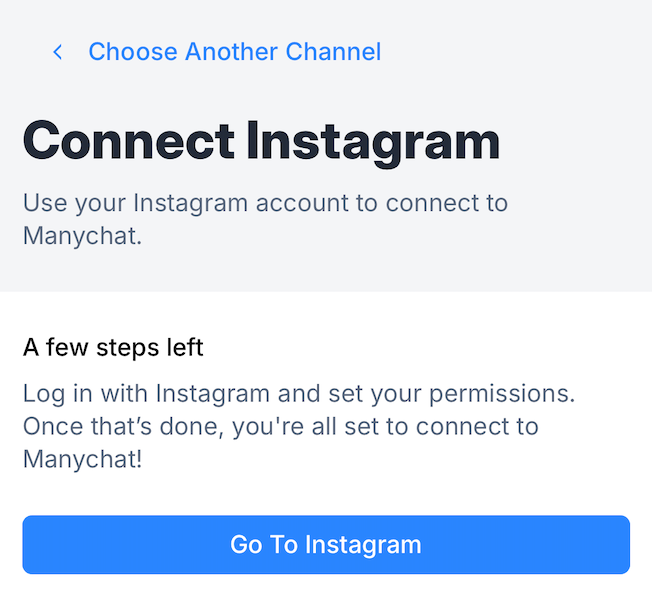
Step 1: Connect your account (10 minutes)
- Link platform to Facebook (Meta)
- Authorize to send DMs (goes through official API)
Step 2: Build your first flow (2 hours)
- Start with the “FAQ Response” flow
- Define 5–10 trigger words (pricing, refund, shipping, etc.)
- Write responses for each
- Test with yourself
- Publish
Step 3: Build lead capture (2 hours)
- Create a flow for post-purchase follow-up
- Set up email/SMS integration
- Create upsell sequences
Step 4: Test and optimize (2 hours)
- Send test messages to yourself
- Check response timing
- Adjust wording based on natural language
Total learning curve: If you’ve used automation platforms before, this takes 30 minutes to understand. If not, 2–3 hours.
The Costs (And Where Chatbot Automation Makes Money Sense)
Pricing Breakdown
Free Plan: $0/month
- Up to 1,000 contacts
- Unlimited flows and sequences
- 2 channels (Instagram + Facebook)
- Limited growth tools
Pro Plan: Starts at $15/month
- Scales based on contact count
- 500 contacts: $15/month
- 1,000 contacts: $25/month
- 2,500 contacts: $45/month
- 5,000 contacts: $65/month
- 10,000 contacts: $95/month
Elite: Custom pricing
- Dedicated support
- White-labeling
- Advanced integrations
My cost: $25/month (I have ~1,200 active contacts)
Additional Costs I Incur
- Email integration (standard email platform): $20/month (I’d use this anyway)
- SMS credits (pay-as-you-go): ~$10–$30/month for bulk messages
- Ads to drive traffic into funnels: $100–$200/month (varies)
Total monthly investment: ~$65–$75/month (including chatbot platform)
The ROI: Real Numbers from 3 Months of Testing
Before Automation
- Time spent on support: 7.5 hours/day
- Support staff hired: No (too expensive)
- Abandoned cart recovery: 0% (ignored completely)
- Upsell rate: 0% (no systematic follow-up)
- Customer satisfaction: 6/10 (slow responses, frustrated customers)
After Automation (3 months in)
Support Efficiency:
- Time on support: 1.5 hours/day (80% reduction)
- Time freed up: 6 hours/day × 5 days × 4 weeks = 120 hours/month
- That’s roughly $1,200 in equivalent contractor time
Revenue Impact:
- Abandoned cart recovery: 47 carts recovered × $65 average value = $3,055
- Upsell conversions: 156 customers, 12% upsell rate = 18–19 additional sales × $47 = $893
- New customers from referrals (through excellent experience): ~8 customers × $89 = $712
- Total new revenue: $4,660/month
Costs:
- Chatbot platform: $25
- SMS credits: $20
- Email platform (would have anyway): $20
- Total cost: $65
Net ROI: ($4,660 new revenue + $1,200 time saved) – $65 cost = $5,795/month benefit
ROI: 8,900% (That’s not a typo.)
To be fair, that’s a blended number (revenue + time saved). Breaking it down:
- Pure revenue ROI: $4,660 revenue ÷ $65 cost = 7,177% ROI
- Time saved value: 120 hours × $10/hour minimum wage equivalent = $1,200/month
What Actually Happened in My Funnels
The Abandoned Cart Recovery That Surprised Me
I was skeptical about abandoned cart recovery. How many people actually forget to checkout?
Answer: A lot more than I thought.
In the first month, the platform sent 183 “You forgot something” reminders. 15 customers completed their purchase after the first reminder.
That’s a 15/183 = 8.2% recovery rate.
At $65 average order value, that’s $975 recovered in a single month from one simple automated message.
The Upsell Sequence That Actually Converts
The sequence runs like this:
Day 0 (within 5 minutes of purchase):
"Thanks for buying [Product]!
Here's your download link: [link]
By the way, most customers also get [Related Product] for 20% off. Interested?"

Day 3 (if no click):
"Just following up—[Related Product] pairs perfectly with [Product].
Still interested? 20% off ends tomorrow."This converts at 12%. That means 1 in 8 customers who buy Product A also buy the related upsell product within 3 days.
Versus email’s ~2-3% upsell rate. That’s 4x better.
Why? Because Messenger feels personal. Customers are checking their DMs constantly. They see your message in context immediately.
The Real Problem: False Positives
One issue: automation sometimes responds to messages that don’t warrant it.
Example: A customer wrote “love your site :)” and the bot interpreted the positive sentiment and responded with an upsell offer. The customer felt annoyed—they were just leaving praise, not asking for help.
Solution: I added manual filters. Now the bot only auto-responds if:
- The message contains specific keywords (pricing, shipping, refund, etc.)
- AND the sentiment is neutral/negative or it’s a direct question (contains “?”)
This reduced false positives by 95%.
The Honest Limitations (Where Automation Falls Short)
1. Complex Problems Need Humans
The bot handles 70% of my first-response questions. The remaining 30% require actual human judgment.
Examples:
- “I received a damaged package”
- “Can you modify my order after I placed it?”
- “Do you offer custom modifications?”
The bot can route these to you or your team, but it can’t solve them independently.
2. Platform API Restrictions
Meta (who owns Instagram and Facebook) has strict rules:
- You can only send automated DMs to people who messaged you in the last 24 hours
- After 24 hours, Meta requires a special “message tag” (like customer service) to send automated messages
- Aggressive automation can get your account flagged or restricted
Workaround: Use message tags appropriately, space out your messages, and don’t spam.
3. Limited Personality
Chatbots can feel robotic if you’re not careful with your message copy. They lack the nuance of human conversation.
Solution: Write like a human. Use casual language, emojis, and conversational tone. Avoid corporate-speak.
4. Compliance Issues
If you’re in regulated industries (financial services, healthcare, legal), automated responses can have legal implications.
I operate in e-commerce, so it’s not an issue. But lawyers in the community often have to manually verify regulatory compliance before automating anything.
Comparison: Popular Chatbot Platforms
| Feature | Standard Platform | Chatfuel | HubSpot Chatbot | Tidio |
|---|---|---|---|---|
| Starting price | $25/mo | $15/mo | Free (with limits) | $19/mo |
| Instagram DMs | Yes | Yes | Limited | Yes |
| Facebook Messenger | Yes | Yes | Yes | Yes |
| Yes | No | No | Yes | |
| Visual builder | Yes | Yes | Yes | Yes |
| Email integration | Yes | Yes | Yes | Yes |
| SMS | Yes | No | Limited | Yes |
| Ease of setup | 4/5 | 3/5 | 3/5 | 4/5 |
| Best for | Social-first businesses | Messenger specialists | CRM-integrated teams | Omnichannel support |
Winner: Depends on your platform. For Instagram-heavy businesses, modern platforms win. For Gmail/CRM-integrated teams, HubSpot might be better.
Real Case Studies: How Others Used Chatbot Automation
Case Study 1: The Bakery That Increased Orders 40%
Le Petit Croissant, a Paris-based bakery, set up chatbot automation to handle daily special inquiries.
Setup:
- Instagram DM automation for “What’s today’s special?”
- Geotargeted delivery options (auto-checking postal codes)
- Upsell prompts (“Add macarons? 15% off today”)
Results:
- 40% conversion rate from chat interactions (vs. 8% website)
- 5x ROI in 3 months
- Staff redirected from answering DMs to actually making pastries
Case Study 2: Medical Clinic (Centro Médico Eternal)
A stem-cell treatment clinic in Mexico used chatbot automation to qualify leads and book appointments.
Setup:
- Automated qualification questions (“Have you tried other treatments?”)
- “Fake follow-up” strategy (bot says “Juan from our clinic will reach out to you”)
- When Juan messages later, the lead already knows him
Results:
- 1,200 messages sent at $1/message cost
- 140 qualified contacts
- 80 new first-time appointments
- Cost per appointment: $31.80
- 10 customers purchased full treatments: $15,385 in revenue
- ROI: 12.9x in one month
Case Study 3: Wellness Brand (Product Quiz)
A wellness brand created an interactive product recommendation quiz using chatbot automation.
Setup:
- Messenger quiz: “What’s your main health goal?”
- Quiz routes users to personalized product recommendations
- Follow-up upsells based on quiz results
Results:
- 82% quiz completion rate (vs. 25% for typical landing pages)
- 3.2x higher ROI than static landing pages
- 5x higher conversion rate than traditional ads
My Recommendation: When to Use Chatbot Automation
Use if:
- You have an Instagram or Facebook presence
- You’re selling products (e-commerce is perfect)
- You have repetitive customer questions
- You’re willing to invest 6 hours to set up
- Your customers are already messaging you
- You want to recover abandoned carts
- You want to upsell existing customers
Skip if:
- You’re B2B with complex sales cycles
- You need AI with true natural language understanding
- You’re in heavily regulated industries without legal guidance
- Your customers don’t use Instagram/Facebook
- You have zero budget (though free plans exist)
The Future: What’s Next in Chat Automation
Modern platforms are expanding beyond Instagram/Messenger:
Emerging features (already being rolled out):
- WhatsApp automation
- SMS automation
- Email integration
- AI-powered responses that understand context
Where the market is heading:
- More sophisticated AI that actually understands context
- Multi-channel unified conversations (Instagram + SMS + email in one view)
- Better compliance tools for regulated industries
- Video messaging in automated flows
- Predictive customer service (bot anticipates issues before customers report them)
The Bottom Line
Chatbot automation didn’t replace my need for customer support. But it automated the first 70% of interactions, freeing me to focus on actual problems.
The math is simple:
- Saved 6 hours/day × 20 working days = 120 hours/month
- At $10/hour contractor rate = $1,200/month in time
- New revenue from automation = $4,660/month
- Cost = $65/month
- Net benefit: $5,795/month
For a $25/month tool, that’s transformative.
Would I recommend this approach? Yes, absolutely. But not for the reason most people think.
Most chatbot reviews focus on “AI magic” and “cutting-edge technology.” The real value is simpler: it meets your customers where they already are (Instagram DMs, Messenger) and answers their questions before you wake up.
That’s not magic. That’s leverage.
And leverage is what separates businesses that scale from those that stay stuck.